



TL;DR: Stop duct-taping your blog together with free trials and random Chrome tabs — most creators don’t need MORE tools, they need the RIGHT ones. This is the master list of 54 tools that actually move the needle, covering everything from website platforms (Showit, obviously) and hosting, to email marketing (Flodesk/Kit), SEO and keyword research (Ahrefs, SurferSEO, RankMath), design (Canva, Adobe), productivity (Trello, Airtable), AI (ChatGPT, Grammarly), analytics, and even a few business books worth reading. If you only grab one thing from this whole list: get Showit, because it covers your hosting, website builder, and blog in one place. Everything else here is the supporting cast that turns a hobby blog into an actual income-generating business.
- You don’t need more tools — you need the right ones doing real work. Most bloggers burn hours collecting logins and free trials with zero strategy behind them. This list skips the “fun apps to try sometime” fluff and focuses only on tools proven to grow traffic, convert readers into subscribers, and save you time so you can actually promote and sell.
- If you only invest in one thing, make it your website platform. Showit tops the list because it bundles hosting, a drag-and-drop builder, and WordPress blogging into one place — covering the foundation that everything else (SEO, email, content) gets built on top of.
- The stack that actually moves income needs five core categories covered: traffic, list-building, content creation, backend protection, and data. That means SEO/keyword tools (Ahrefs, RankMath), email marketing (Flodesk, Kit), content creation help (Canva, ChatGPT, Grammarly), site security/speed plugins (Jetpack, WP Rocket), and analytics (Google Search Console) — skip any one of these categories, and you’ve got a leaky funnel, not a business.
You can only duct-tape your blog together with free trials and random Chrome tabs for so long before your brain, your time, and your income are like, “We’re done here.”
If you’ve ever spent an hour “researching the best blogging tools” and somehow ended up with 27 new logins, zero strategy, and the same $0 months… you’re not alone. Most creators don’t actually need more tools. They need the right tools to do the heavy lifting behind the scenes so their content, traffic, and income can finally breathe.
This isn’t another cute little roundup of “fun apps you should try sometime.” These are the best blogging tools proven to increase your income by helping you:
- Get more of the right people to your blog
- Turn casual readers into email subscribers and buyers
- Save hours on content creation, so you can actually promote and sell
I’ve tried hundreds of blogging tools over the years, so you don’t have to. I’ve created a list of the best blogging tools for bloggers of all experience levels. In this post, we’re walking through the tools that actually move the needle: the platforms I’d keep even if everything else got stripped away. Just solid, income-boosting tools that support a real blogging business, not a cute hobby that occasionally posts on Tuesdays.
Grab your coffee, log out of the shiny-object rabbit holes, and let’s set your blog up with tools that finally earn their keep.
Disclaimer: This post may contain affiliate links. If you click on them, I may earn a commission, at no additional cost to you. See my disclaimers page for more information.
Table of Contents
The Best Blogging Tools for Beginners
1. Blog Growth Engine (Now Launch to 10K)
Tool Name/Category: The first blogging tool that I recommend to all bloggers, but especially beginners, is actually a course by Adam Enfroy, called Launch to 10K.
Primary Benefit: This course gives you the step-by-step framework to build a platform (whether that’s your blog or social media) that drives affiliate revenue and long-term passive income.
Pricing: This course comes with a hefty price tag of $747, but you’re getting $14,146 of value in this course. Besides, Adam Enfroy is a blogging and marketing genius. Take all my money, sir. The course has a 14-day refund policy, so if it’s not for you, you can get your money back. But you’re going to love it.
Best for: Beginner-Advanced Bloggers. There’s a lot of stuff covered in this course that I wish I had known starting out as a blogger, so that’s why I included it under the beginners section. However, I have been blogging for years and still find this course to be so helpful, so I would recommend it to any blogger, really.
Review: This is, I dare say, one of the best blogging courses to ever exist. I especially found this course to be helpful for creating SEO-optimized content, what types of content to create, copywriting, and monetization. Adam Enroy just knows his shit, and this course is totally worth it.
2. Showit
Tool Name/Category: Showit is a drag-and-drop webpage builder that connects with WordPress, and it is the one I currently use.
Primary Benefit: Showit allows users to create visually stunning, custom websites without coding knowledge, offering features like a visual editor and templates. Showit also hosts your website and content files, so you don’t have to pay for separate hosting.
Pricing: I’m only going to include pricing plans for websites that allow you to have a blog, since that’s the whole point of this blog post. All Showit plans come with the Showit website builder, a secure certificate (HTTPS), web hosting, and regular design backups every 10 minutes, stored for 7 days.
The Showit + Basic Starter Blog is $24/month. This is a good option if you are starting a brand new blog and don’t mind using the plugins that Showit has pre-selected for you.
The Showit + Advanced Blog is $34/month. This is the best option if you have an existing blog on WordPress or Squarespace and want to migrate it over to Showit. This is also the best option if you want to choose what plugins you use.
Best for: Beginner-Advanced bloggers. Showit is easy enough for a beginner to use, and strong enough for an advanced blogger to love.
Review: Showit is by far the easiest page builder I have tried, and allows for the most/best customization options.
Click this link for a free month of Showit, on me.
3. Elementor
Tool Name/Category: Elementor is a webpage builder plugin in WordPress.
Primary Benefit: Elementor allows users to create custom web layouts, design elements, and styling without the use of coding. Elementor allows you to visualize your website as you design it, so you see exactly what your visitors will see.
You can even upload free or premium templates to Elementor, with the majority of the design done for you, and then you can customize them as you wish.
Pricing: Elementor plans begin at $4.99/month, with the most expensive plan being $16.99/month. You can check out the pricing plans, and determine which plan best suits your needs, but if you only have one website, I think the Advanced Solo plan for $6.99/month would be sufficient.
Best for: Beginner-Experienced Bloggers. As someone who had no idea about web design or CSS coding when I started blogging, this plugin was a lifesaver for me. With my very limited tech knowledge, I was still able to create a website that I was proud of, all by myself.
Review: I found that Elementor‘s drag-and-drop interface was super helpful for me as a beginner blogger, because I had no idea what I was doing. But Elementor is limited in its capabilities compared to Showit, and as an advanced blogger, I found myself wanting to give my website that extra kick that only Showit can give.
Blogging Basics
4. WordPress
Tool Name/Category: WordPress is a content management system (CMS) that houses all of the digital content of your website, so you can create it, store it, and share it.
Primary Benefit: WordPress.org (note: this is different than WordPress.COM) is an open-source, self-hosted platform. This specific WordPress platform allows for full website customization and plugin installation, without hidden fees. WordPress.org provides the most flexibility in web design, security measures, monetization, and functionality. This platform allows you to monetize your website any way you choose and does not force you to share the revenue with anyone.
With WordPress.org, you 100% own the content on your website. The domain name that you purchase is not shared with a subdomain, giving your brand a more professional look. With a self-hosted platform, you do have to purchase a hosting plan and domain up front, but the customization and monetization options are well worth it.
Pricing: WordPress itself doesn’t cost anything, but you still have to pay for a web host.
Review: I’ve never used anything other than WordPress.org, so I can’t speak to other CRMs, but I do know that using WordPress.org is essential if you want to make money from your blog. Free hosted options, including WordPress.COM, just don’t offer these features. And if they do, they are at a premium. My blog is automatically on WordPress.org, as part of my Showit subscription.
5. Showit
I mentioned Showit here again, because Showit includes its own hosting plan. If you are looking at hosting plans and aren’t sure who to go with, my top choice is Showit, no matter what level of expertise you have in blogging.
6. Bluehost
Tool Name/Category: Bluehost is a hosting provider recommended by WordPress, and by me.
Primary Benefit: With Bluehost, all WordPress plans come with a free domain for one year, 24/7 customer support, a free SSL, custom WordPress themes, and one year of professional email service.
One of my favorite features of Bluehost is that it installs WordPress for you. I also like that WordPress has a domain registration option, so I can manage my domain and hosting under one account. It’s not a necessity, but I find it helpful in making things easier.
Pricing: Hosting plans start at just $3.99 a month (but I recommend the Choice Plus plan that they offer for only $6.99/month. The Choice Plus plan is still affordable, but offers you more security, backups, and storage.)
Review: Bluehost was the first hosting plan I ever tried, and I never had any trouble with it. It’s a good budget-friendly option for those just starting out and not making any money yet.
7. BigScoots
Tool Name/Category: BigScoots is another website hosting provider that I have used and, I was impressed with.
Primary Benefit: BigScoots offers free website migrations and 90-second support 24/7/365. Additionally, BigScoots users get the added benefit of Cloudflare to optimize website speed and page load times. If top-notch speed and performance are on the top of your priority list, Managed Hosting for WordPress is the best way to go. You will also get more personalized support from their excellent support team with this hosting plan.
Pricing: Starter plans for BigScoots start at $34.95/month, and go all the way up to $248.95 for the business plan (completely unnecessary unless you have 20 websites. In that case, this is a good deal!)
Review: I like both hosting platforms for different reasons. If budget is a concern, or if you haven’t started making money in your business yet, Bluehost is probably the more affordable option. If you are making some money and performance is important to you, BigScoots is the speediest option.

Email Marketing Tools
The money is in the list. It doesn’t matter how brand new you are to blogging; you need to be growing and nurturing your email subscriber list TODAY. Email marketing has an average Return on Investment (ROI) of $36 for every $1 spent (Nutshell, 2025).
8. Flodesk
Tool Name/Category: Flodesk is an email marketing platform, and the one that I use.
Primary Benefit: One of the things that makes Flodesk stand out from other email marketing platforms is its stunning email templates. This means your subscribers will actually want to open your emails.
Pricing: If you want unlimited email capabilities, you’ll have to start with at least the Pro plan, which is subscriber-based.
Review: I find setting up workflows (automations) is a little harder with this platform, because they don’t really have preexisting complex automation templates. But the beauty and aesthetic of Flodesk‘s emails is unmatched. You can use AI to figure out your automations for you.
9. Kit
Tool Name/Category: Kit is another email marketing platform that I’ve tried, and I really liked it.
Primary Benefit: One of the things that I really liked about Kit was the premade automation templates that they have for different scenarios. This saves you time, but also saves you from having to think of the intricate steps of an automation system, saving your brain bandwidth for other tasks.
Another thing I like is that Kit allows you to list their physical address in your emails. According to the CAN-SPAM Act, commercial emails must include a valid postal address for the sender. So instead of listing your own address, you can list Kit’s address if you use their email service. This is a good option if you don’t want creepers to know your address.
Pricing: You can utilize Kit for free with under $10,000 subscribers (the automations are limited though, booooo). The cheapest paid plan is the creator plan for $33/month. I found this to be sufficient for my automatic freebie deliveries and such.
Review: Kit is a good platform to get your feet wet as an email marketer. But their templates aren’t much to look at.
Design & Graphics
10. Canva
Tool Name/Category: Canva is a drag-and-drop graphic design platform that you can use to make graphics for your blog, like infographics, social media graphics, and more.
Primary Benefit: When I first started using Canva, I had no graphic design experience, and I still found this app easy for a beginner to use.
Pricing: Now that I am more established in my blog, I do use the premium version of Canva (which is still only $10 a month!), simply because I loved the app so much and I didn’t want to be restricted in how I could use it. But if you want to save your money, the free version still works great.
Review: I use Canva to create digital products that I sell, like digital planners, and for the lead magnets that I give away for free on my website.
11. Adobe Creative Cloud
Tool Name/Category: Adobe Creative Cloud is a bundle of Adobe graphic design programs, like Photoshop, Illustrator, InDesign, Acrobat and SO. MUCH. MORE.
Primary Benefit: A subscription to the Adobe Creative Cloud gives you all the tools, apps, and other resources for graphic design, video editing, and web development.
Pricing: The subscription is $69.99/month, but if you’re a student or a teacher, you can get a discount.
Review: I can’t say enough good things about Adobe Creative Cloud. Coming from someone who didn’t study graphic design in school, I had to take courses and tutorials to learn how to use the software, because it’s definitely not drag-and-drop like Canva. But don’t let that scare you away, because you can create BEAUTIFUL graphic designs in these apps. I also love that with Adobe Creative Cloud, I get access to Adobe’s beautiful font collection and stock photos.
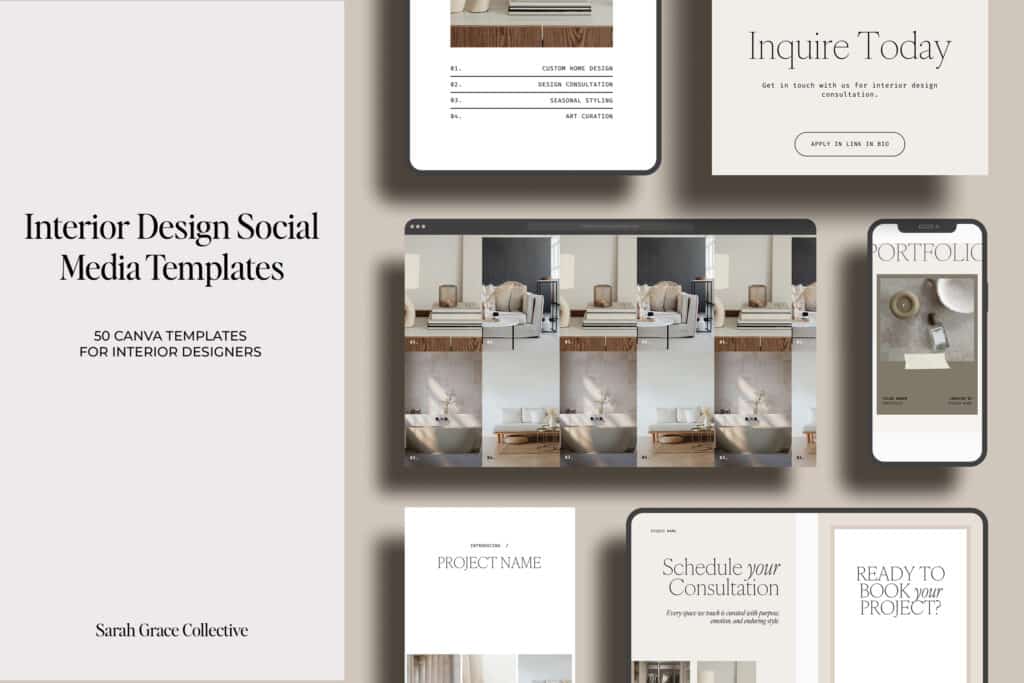
12. Jen Wagner Type
Tool Name/Category: Jen Wagner Type is a design business that creates high-quality fonts.
Primary Benefit: Designer fonts can help your blog and website stand out from the competition because everyone uses free fonts.
Pricing: Pricing depends on the license you need and the font you choose. If you want 15% off your purchase, use code “sarahgrace15”.
Review: To be honest, most of the premium fonts saved on my computer are designed by Jen Wagner Type. The headlines and sub-headlines in this blog post are a font created by Jen Wagner Type: Editor’s Note. It is literally my favorite font of all time.
13. Styled Stock Society
Tool Name/Category: Styled Stock Society is a subscription to a huge premium stock photo gallery.
Primary Benefit: Everybody and their mom uses free stock photos. I’m not hating on these free stock photo collections, because I use them too in my website templates. But in the same way that premium fonts help you stand out from your competitors, using premium stock photos on your website also helps you stand out from everyone else.
Pricing: $45/month for membership and access to 10,000 premium stock photos.
Review: I use Styled Stock Society’s stock photos all over my website and blog posts. They are just a step above everyone else in the photos they offer, in my opinion.

Best Blogging Tools for Keywords and SEO
14. Ahrefs
Tool Name/Category: Ahrefs is a powerful SEO tool used for keyword research and other SEO tasks
Primary Benefit: Serious SEO intel: find profitable keywords, spy on competitors, and see exactly which content brings in traffic + backlinks. This tool allows you to analyze search volume, competition, and trends of keywords that you want to rank for.
Pricing: There is a free limited version that will tell you what’s wrong with your site, like broken links, so you can fix them. I have the starter plan for $29/month, mostly because I don’t want to pay more. The next plan up is $129/month. 😵💫 I used to use a free keyword research tool, but I would not recommend this unless you just absolutely can’t afford to pay for a tool, because the paid keyword tools are simply more accurate.
Review: I find Ahrefs’ starter plan to work just fine for what I need it for. For competitors, it tells me the DR (domain rating), topical authority on a topic, number of backlinks they have, and top keywords they rank for, so I can see what my content gaps are. I also use Ahrefs’ keyword explorer to find keywords to rank for. I like this tool a lot.
15. SurferSEO
ToolName/Category: SurferSEO is another tool that I use for keyword research.
Primary Benefit: Surfer SEO is an on-page SEO optimizer that tells you exactly how to structure and edit your posts, so they actually rank instead of rotting on page 7 (or not ranking at all; ask me how I know). SurferSEO creates keyword clusters of related long-tail keywords based on keyword difficulty. I love this feature.
Pricing: The Essential plan is $79/month (if you pay for it annually. If you pay for it monthly like I do, the Essentials plan is $99/month), which is pretty steep to me, but it’s worth what you pay for it (see primary benefit).
Review: I think this might be a tool that I use when I create my quarterly content plan and then cancel it, so I’m only paying for it 4 times a year, instead of 12. But I am very impressed with the keyword research and on-page SEO that this tool does. It’s powerful.
16. Stupid Simple SEO
Tool Name/Category: Stupid Simple SEO is a comprehensive online course by Mike Futia that reviews SEO, Pinterest, and blogging IN-DEPTH, and in a way you won’t find anywhere else.
Primary Benefit: It is a course on increasing organic website traffic and improving Google rankings through Search Engine Optimization (SEO). Some of the course curriculum topics include:
- Keyword Research
- Competitor Keyword Research
- Domain Authority
- Content formulas and strategies to get your articles to get your articles to rank on page one of Google search
This list oversimplifies the course curriculum when really Mike takes his students on a DEEP dive into these topics. You won’t find a course like this anywhere else.
Pricing: I honestly don’t know how much this course costs since it is not currently open. I think it is now a membership that you pay for monthly. (Note: I bought this course in 2023, and the prices have changed since my purchase.) Mike Futia only opens up this course a few times a year, so if you are interested in the course, you should go ahead and sign up for the waitlist here. ← ←
Review: Stupid Simple SEO will likely be the most expensive course on this list, but the information in this course is worth it. I thought I understood the basics of SEO before I took Stupid Simple SEO. I’m here to tell you….
I had NO idea before this course.
I have seen the light thanks to Mike Futia, and I would be doing you a disservice if I didn’t share this course with you.
17. Google Keyword Planner
Tool Name/Category: Google Keyword Planner is a keyword research tool within the Google Ads account.
Primary Benefit: Find keyword ideas and search volume straight from the source so you’re not writing about things no one is searching for.
Pricing: This tool is free; you just need to create a Google Ads account. I don’t run ads with Google, so I literally only have this tool for the Google Keyword Planner.
Review: I really like how this tool shows the changes in search in the last 3 months and the last year, so you know if your keyword idea is being searched for.
18. Pinterest
Tool Name/Category: You all know what Pinterest is, but for the sake of consistency, it’s a visual search engine.
Primary Benefit: This visual search engine sends long-term evergreen traffic to your content while you’re busy doing literally anything else.
Pricing: Free!
Review: Pinterest may seem like a no-brainer, but I wanted to mention it on my list of best blogging tools because the traffic that Pinterest sends to my website is unmatched. Get you a Pinterest strategy as I mention in blogging tool #38 and get to pinning. You’ll be glad you did.
19. Google Trends
Tool Name/Category: Google Trends is a tool for finding trends in what people are searching for on Google.
Primary Benefit: Shows what topics are rising or dying so you can jump on trends before they’re basic and overused.
Pricing: Free!
Review: I really like how you can find how seasonal trends vary at different times of year, and I like finding trends of what people are searching for. It helps you get ahead of everyone else.
Best Blogging Tools for Productivity
20. Trello
Tool Name/Category: Trello is a project management and task organization tool. Are you excited after reading that sentence? Because same. 😍
Primary Benefit: Trello is a Kanban system of boards, cards, and lists to allow users to organize visually.
Pricing: There is a free plan, which only allows up to 10 boards. Since I use Trello for so many aspects of my business, I use the Standard plan. It includes unlimited boards and only costs $5/month.
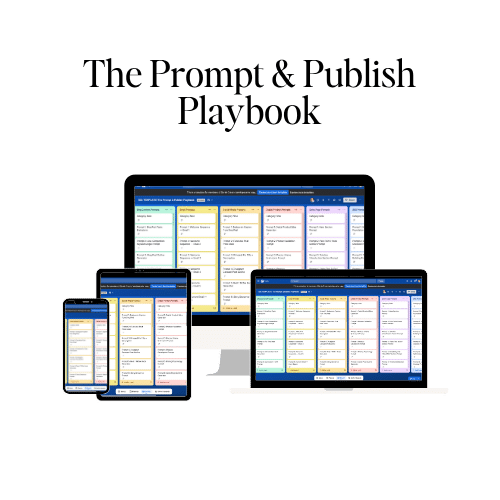
Review: I use Trello for EVERYTHING-my affiliate links, my business and branding guidebook, tracking collaborations, storing links to digital resources and products, and MORE. If it needs to be organized, I’ve got it in Trello. Check out my Prompt & Publish Playbook on Trello below. It’s a complete AI prompt vault that you need for any area of your business. It’s unlike other prompt lists in that it teaches AI about your specific business and tailors its outputs to your business. Click on the image below to take a look at it.
21. Airtable
Tool Name/Category: Airtable is a cloud-based tool with a spreadsheet interface.
Primary Benefit: You can create a grid, calendar, Kanban, or gallery view in Airtable- whatever works best for your brain to organize your life.
Pricing: There is a free version, and that’s what I use. The free version allows for unlimited bases, 1,000 records per base, up to 5 editors, and 1GB of attachments per base. That’s a pretty sweet free plan if you ask me! If you decide to upgrade to get more organizational deliciousness, the lowest paid plan is the Team plan for $20/user/month.
Review: Airtable is my favorite free tool for organizing my blog post ideas, AI prompts, customer personas, and more. My friend Dama Jue has hacked Airtable organization for businesses and has even better, wider uses for the platform. You can check out her free training on it.
22. Google Workspace
Tool Name/Category: Google Workspace is a cloud-based service that allows users to store, access, and share files.
Primary Benefit: Google Drive is the home to all of the important documents that I have in Google Docs (Google’s version of Word) and Google Sheets (Google’s version of Excel).
This productivity trifecta within Google allows me to save templates, spreadsheets, and worksheets that I use in all areas of my business, from content ideation to marketing. The documents in Google Drive are housed on the cloud, so I can access them from any device. This means I can edit or refer to information I’ve already stored in Google Docs/Sheets from literally anywhere.
Pricing: FREE with Google account
Review: My latest use of this tool is the Pinterest Planner. It’s a Google Sheets file created by Amy LeBlanc of Levee Road Studio, to plan boards, keywords, and pins on the Pinterest platform. Being able to plan out my Pinterest strategy in a visual way and keep it all organized has helped my success on Pinterest immensely.
23. Notability
Tool Name/Category: Notability is a note-taking app used to annotate PDFs and record notes.
Primary Benefit: You can take multimedia notes (handwritten, typed text, images, and sketches), mark up PDFs directly within the app, and organize your notes with dividers. There is also an audio transcription feature with paid plans.
Pricing: You can create UNLIMITED notes on the free plan, and I find that adequate for what I use it for. If you want to use it for audio transcription, you’ll have to upgrade to the Plus plan for $20/year.
Review: Notability is a note-taking app that I use on my iPad. My iPad has a “paper-feel” screen protector on it, and I jot down notes when I’m taking online courses and doing digital planning. I used to take all my notes on notebook paper, and it led to a huge notebook that I have no desire to lug around. Instead, I keep all my notes in my compact iPad, thanks to the Notability app. I also have the Notability app on my phone, so I can refer to my notes anytime I need to.
24. Notes App
Tool Name/Category: Notes app for iOS systems.
Primary Benefit: The Notes app syncs instantly across all of my iOS devices, and the versatility that this app gives allows me to write my blog posts anywhere. You need that kind of versatility if you are a human. Meaning that we all have busy lives, but it doesn’t have to stop you from blogging. Use the Notes app while you’re in the school pickup line, the grocery store line, or when you’re stuck in traffic, and make the most of the tiny pockets of time during your day.
Pricing: free with Apple products
Review: I love the Notes app. In fact, I’m lying in my bed, currently writing this blog post in the Notes app.
25. Content Empire Planner
Tool Name/Category: 2026 Content Empire digital planner
Primary Benefit: Hailey Dale, from Your Content Empire, has nailed content strategy and systems down like nobody else I have come across. She teaches you how to cluster your content around your offer and create a capsule of content around it.
Pricing: The planner itself is only $47, but you can combine it with access to her content planning club for $197. If you purchase the club, I’ll see you there in 2026!
Review: Honestly, everything that Hailey Dale puts out, from her blog posts to her coaching, is pure gold. I love and use it all. The 2026 Content Empire Planner has already been released, and I’ve already purchased it and started planning for Q1.

Website Plugins
26. RankMath SEO
Tool Name/Category: RankMath is an SEO (search engine optimization) plugin that helps you optimize your website pages and posts for SEO.
Primary Benefit: RankMath SEO Plugin is so helpful with reminding you to incorporate all the little details that make up SEO best practices (like making sure your keyword is found in all the necessary places in your blog post). And I honestly don’t know how to even write a meta description without the RankMath SEO plugin. It gives suggestions on how you can improve your SEO score. I also love the SEO academy to learn all the ins and outs of SEO that I didn’t know before.
Pricing: RankMath SEO has a free and premium version. The pro version is as cheap as $4.92/month. I have the premium version because I just don’t have time to try to remember all the rules of SEO. RankMath SEO has my back. It even creates an XML sitemap for Google and Rich Pins for Pinterest.
27. Jetpack/Boost/VaultPress
Tool Name Category: Jetpack is a versatile plugin that solves my need for site security, site speed, and content backups.
Primary Benefit: The Boost portion helps speed up my site, and the VaultPress portion backs up my content. Jetpack also links to Akismet Antispam, which is a plugin that I have on my website to prevent spam and bots on my website.
Pricing: Security is $9.95/month, Boost is $9.95/month, and VaultPress is $4.95/month. Do not skip out on security, ya’ll. If hackers break into your website, they can ruin everything you’ve created. Secure your shit.
Review: I have screwed up my website more times than I can count, and I’ve had the “oh shit, I don’t know how to fix this” moment multiple times. Thankfully, I’ve got Jetpack VaultPress Backup, which backs up my complete website every day and keeps the backups for 30 days. So, whenever I royally screw up, I can always revert to the previous day’s version of my website. This has saved me so many times.
28. Akismet
Tool Name/Category: Akismet is an anti-spam plugin.
Primary Benefit: Akismet’s database is stored in the cloud, so it doesn’t slow your website down. Over 100 million other websites trust Akismet to prevent all forms of spam, not just spammy comments. It integrates with other plugins, like Jetpack, Contact Form 7, and more.
Pricing: A free and premium version (starting at $9.95/month) is available to make sure you are protected against spam.
Review: I just use the free version of Akismet, and it’s not perfect, but it does an okay job blocking spam.
29. Cookie Notice and Compliance for GDPR
Tool Name/Category: Cookie Notice and Compliance for GDPR is a banner that displays the use of cookies to users on your website and allows them to accept or reject the way you track visitor information.
Primary Benefit: Well, this plugin helps you stay compliant with GDPR laws.
Pricing: I just use the free version of this plugin, which is sufficient for 1000 visitors/month or less. I think if you need more than this, you’ll have to find a different cookie plugin.
Review: I don’t really care about cookies, but I guess it’s the law, so the plugin works and does what I need it to.
30. Imagify
Tool Name/ Category: Imagify is an image optimization plugin that I use.
Primary Benefit: When I upload a new image, this plugin immediately and automatically begins compressing and resizing it for optimal website performance. It does so without sacrificing image quality, so I can still use images on my website as much as I want. Imagify also integrates with WP Rocket to improve web performance.
Pricing: There is a limited free version that I use, and there are also paid versions if you want to compress more than 200 images a month. The Growth plan is $4.99/month and the Infinite Plan is $9.99/month.
Review: I really appreciate that Imagify does this for me, because I don’t have time to fool around with what size image fits where. I just upload that shit and Imagify takes care of it for me.
31. WP Rocket
Tool Name/Category: WP Rocket is a premium cache plugin that is recommended by WordPress and by me.
Primary Benefit: It improves the overall performance of your website, as it boosts your page loading time and improves site speed.
Pricing: For a single website, it is $59/year. Not too shabby for helping keep visitors on your site longer because your site speed doesn’t suck.
Review: I use WP Rocket, even though it says it’s not compatible with Showit. WP Rocket brought my site speed from a C to an A.

Analytics
32. Google Search Console
Tool Name/Category: Google Search Console is an analytics tool for your website.
Primary Benefit: Tells you how your site is performing in Google: what you’re ranking for, where you’re close, and what’s broken.
Pricing: Free!
Review: This tool shows me where I am doing well and what isn’t working with my audience so I can tweak and adjust. I hate looking at analytics, but it’s absolutely a necessary thing to track.
33. Google Analytics
Tool Name/Category: Google Analytics is a tool that shows who’s visiting your site, from where, and what content actually does something (like leads, sales, signups)
Primary Benefit: Google Analytics can give you insight into what posts performed well and what didn’t, so you can keep making more of what your audience wants to read. You can also learn information on customer acquisition, behaviors, and conversions.
Pricing: Free!
Review: Again, I hate analytics, but if you ignore them, you will never improve. You need Google Analytics to succeed in blogging.
Office Supplies 😍
34. MacBook Pro
Tool Name/Category: MacBook Pro is the type of laptop I use.
Primary Benefit: Reliable, fast creative machine for design, blogging, video, and having 47 tabs open like a raccoon on caffeine (ask me how I know).
Pricing: Depends on the model you purchase and the amount of space you need, but it ain’t cheap. But SO WORTH IT.
Review: You know, one of my favorite things about my MacBook is that I can use my fingerprint to log in to anything. I also love that it syncs with my iPhone and iPad for accessing my documents from anywhere. I freaking love my MacBook.
35. iPad Pro
Tool Name/Category: iPad Pro is the type of tablet I use.
Primary Benefit: Perfect for planning, sketching layouts, annotating PDFs, and content ideation with an Apple Pencil stuck permanently to the side.
Pricing: Also depends on the model you purchase and the amount of space you need.
Review: My FAVORITE thing to use my iPad Pro for is taking notes. I have a paper-feel screen protector on my iPad, and I take notes on ALL the courses that I take, blog post notes, and digital planning.

36. Blue Yeti Microphone
Tool Name/Category: The Blue Yeti Microphone is a brand (not a color) of microphone.
Primary Benefit: Crisp, clean audio for YouTube, screen recordings, and podcasts without sounding like you recorded in a public restroom. Good audio = instant professionalism. Your audience will forgive mediocre videos. They will not forgive crunchy potato-chip audio.
Pricing: I got it from Amazon for $59.99
Review: This really does give me a crisp sound for my YouTube videos. I also use this when I create videos for my online courses, and I love the sound it gives.
Best Blogging Courses for Increasing Income
37. Making Sense of Affiliate Marketing
Tool Name/Category: Making Sense of Affiliate Marketing is an online course by Michelle Schroeder-Gardner of Making Sense of Cents.
Primary Benefit: Making Sense of Affiliate Marketing taught me how to frame and present my affiliate products in a way that makes my readers actually want to click on them. It reviews the rules of affiliate marketing that you must follow, how to get accepted to affiliate programs, and long-term strategies to earn money from your affiliate links.
Pricing: The course is $197.
Review: Michelle is my go-to expert on all things affiliate marketing (I mean, she DOES make over $50K a month, just from affiliate marketing!). I recommend Making Sense of Affiliate Marketing to new or experienced bloggers, because just slapping an affiliate link on your website ain’t it.

38. Scheduling Shortcuts [Hacks for the New Pinterest Algorithm]
Tool Name/Category: Scheduling Shortcuts [Hacks for the New Pinterest Algorithm] is an online course by Amy LeBlanc of Levee Road Studio.
Primary Benefit: Amy has spent ALOT of time figuring out what works for her Pinterest account and that of her clients. I just don’t have this kind of time, so I take courses from the experts like Amy. 💁🏼♀️ In this course, Amy reveals tried-and-true strategies for posting consistently on Pinterest, without sending up spam flags to the algorithm.
Pricing: The course price is $397.
Review: My posting strategy was nonexistent before this course. I was just posting all willy-nilly whenever I wanted to. Amy set me up for success, and I find her Pinterest Planner, included with the course, to be so helpful for planning and posting all of my pins.
39. Pinteresting Strategies 2.0
Tool Name/Category: Pinteresting Strategies 2.0 is an online course by Carly Campbell of Mommy on Purpose.
Primary Benefit: Carly gets over 100K page views per month to her blog from Pinterest! In her course Pinteresting Strategies 2.0, she teaches her exact strategies for consistently bringing in this amount of traffic
She has hacked the Pinterest algorithm, and not only shares her secrets in this course, but she updates it when it changes. Pinteresting Strategies teaches optimal pin design practices (and even gives you some Pinterest pin templates!). It also teaches you Pinterest SEO, and how Pinterest can improve your SEO ranking on Google.
Pricing: This course is $97.
Review: Carly is my go-to expert on all things Pinterest. I recommend Pinteresting Strategies 2.0 for beginner bloggers because you need traffic, and Pinterest will deliver if you follow the strategies in this course.
Best Blogging Tools for AI
40. ChatGPT
Tool Name/Category: ChatGPT is an AI (artificial intelligence) LLM (large language model).
Primary Benefit: On-demand brainstorming partner for content ideas, outlines, draft posts, emails, and product descriptions.
Pricing: There is a free plan available, but I use the Plus plan for $20/month, because it gives me advanced reasoning, custom GPTs, and expanded memory. You get a tireless writing assistant that never gets bored, doesn’t need coffee, and will happily rewrite your headline 27 times.
Review: AI sometimes gets a bad rap, and I get it, because nobody wants to read robotic crap all the time. You can rest assured that even though I listed ChatGPT as a blogging tool, this blog is written by a human (including all my flaws). I use ChatGPT more like a caffeinated intern to give me ideas for content, rather than a copywriter who writes for me. But I strongly recommend using ChatGPT with tool #42, the 2-Hour Brand Book.
41. 2-Hour Brand Book
Tool Name/Category: 2-Hour Brand Book is a resource sold by Gemma Bonham-Carter
Primary Benefit: Turn your scattered brand brain into a clear voice, message, and visual direction in one focused session so everything you create feels cohesive and intentional.
Pricing: The cost of this course/resource is $77. I’ve used it more than once to update my brand tone of voice and personality for AI. It was well worth the cost to me.
Review: Gemma Bonham-Carter’s 2-Hour Brand Book is a must-have resource if you want AI to generate content that sounds like you. It combines a collection of your work, which assesses your brand tone and personality, with AI prompts from the 2-Hour Brand Book to find that sweet spot of “your unique voice”. I created my brand book once, and then I upload it anytime I engage in a conversation with AI or as a knowledge file for any custom GPT or AI bot you build, and it will train the AI on your business faster and better than you ever could manually.
42. Grammarly
Tool Name/Category: Grammarly is an AI tool I use to analyze text for spelling and grammatical errors.
Primary Benefit: Catches grammar, spelling, tone issues, and clarity problems before your readers do.
Pricing: I find the basic free plan is good enough for what I use it for. The Pro version is only $12/month and helps detect plagiarism.
Review: Grammarly points out my grammar and spelling mistakes to me, so that I can fix them on the spot. It works across all apps and websites that I use, and I even have a Grammarly extension that I use on text messages that I send on my phone. The free version of Grammarly also allows you to use its AI feature for up to 100 monthly prompts to generate text, but I mainly just use it for correcting my grammar and spelling.
Best Blogging Tools for Content Creation
43. Loom
Tool Name/Category: Loom is a screen recording tool for the computer
Primary Benefit: Record quick screen + face videos to explain tech, give feedback, or onboard clients without endless back-and-forth messages.
Pricing: I find the free plan to be sufficient for me at this time. The free plan allows me to create up to 25 videos, up to 5 minutes long. If you want to make an unlimited number of videos, or videos longer than 5 minutes, you’ll have to upgrade. The Business plan is only $15/month.
Review: Loom is a tool that I use to record my screen when I make how-to videos, and I find it so easy to use.
44. Monster’s Insights Headline Analyzer
Tool Name/Category: Monster’s Insights Headline Analyzer tells me if my headline sucks.
Primary Benefit: Helps you write more clickable, emotionally strong headlines so your posts actually get opened and read.
Pricing: Free!
Review: I really am not good at making clickable headlines for anything. This tool tells me when I need to shorten my headline, and when I need to add power words or emotion words to make my audience stop their scroll.
45. 100K Online Writing System
Tool Name/Category: 100K Online Writing System by Matt Giaro
Primary Benefit: This course explains a step-by-step system for turning online writing into a $100K/year income stream, focused on consistent publishing, idea generation, and monetization.
Pricing: The course is $397.
Review: Listen here, I went to school for nursing, not writing. So I need a little help when it comes to writing copy for the web. This course taught me how to bring some intrigue to my writing and make it something worth actually reading.

Best Blogging Resources
46. Legal Page Templates
Tool Name/Category: The Legal Bundle Pack from sisters Lucrezia and Marina Iapichino.
Primary Benefit: Done-for-you legal template pages (privacy policy, terms, disclaimers), written by an actual international lawyer, that keep your blog and digital products compliant and protect your ass.
Pricing: $247 – honestly, it is completely worth it to make sure your blog is legally protected and that you won’t end up owing somebody thousands of dollars. Using the excuse that you didn’t know doesn’t work when you break the law.
Review: I don’t know a thing about that legal hoopla (you’re lucky if you can find me driving the speed limit), so I rely on Lucrezia and Marina to keep me and the blog straight. The Legal Bundle Pack does an excellent job.
47. ThriveCart
Tool Name/Category: ThriveCart is an ecommerce and online course platform that I use.
Primary Benefit: High-converting checkout platform for digital products, bump offers, upsells, and funnels without a monthly fee.
Pricing: There is a lifetime price of $495 (which I appreciate, because honestly, I’m so tired of monthly subscriptions of EVERYTHING.)
Review: I love that I don’t have a monthly subscription for ThriveCart. I love that it combines an online course platform (because I tried to add my course to my website, and it messed my website up. It’s a bit over my head, but hosting my course on my website led to a bunch of crap that SEO didn’t like), with my e-commerce platform, so I can keep it all together.
48. Davey & Krista Showit & Elementor Templates
Tool Name/Category: Showit and Elementor templates created by Davey & Krista.
Primary Benefit: Strategic, conversion-focused Showit website templates that look custom without the custom price tag. You get polished, clean, timeless designs built with strategy baked in. Perfect if you want your brand to look “put together” before you actually feel put together.
Pricing: You’re looking at prices about $499-$699, but you can make a payment plan (which is what I did). Use coupon code NQXSJOKBC1 for 15% off Davey & Krista products.
Review: Davey & Krista create BEAUTIFUL Showit and Elementor website templates. You can buy full websites, add-on pages, and even get custom designs on templates and branding. I also respect this couple a lot because they are so real, and I regularly read their blog posts.
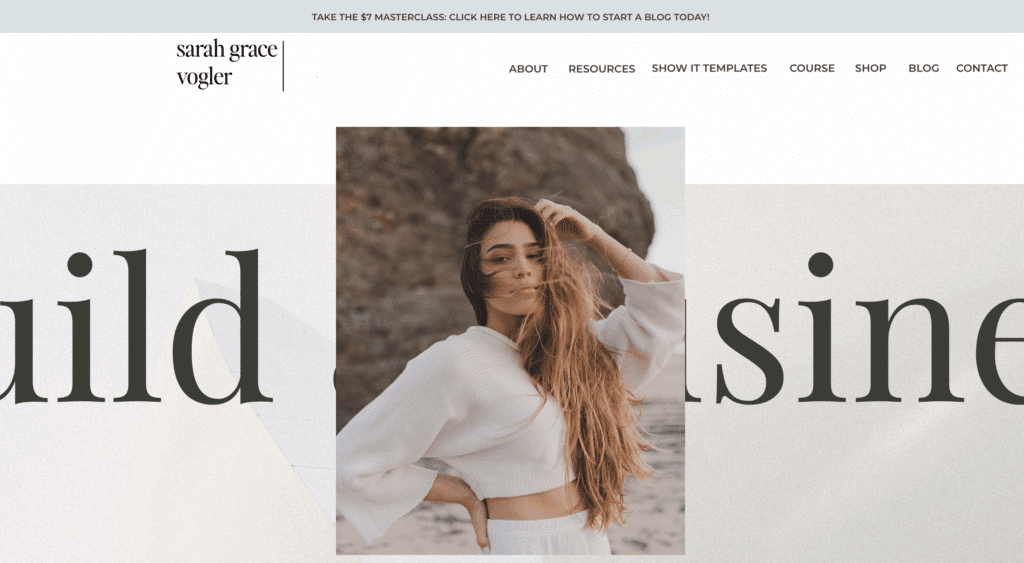
49. Ashley Ferreira Design Showit Templates
Tool Name/Category: Showit templates by Ashley Ferreira Design
Primary Benefit: Luxury, editorial Showit templates that look like you paid a designer five figures to build your site from scratch. If you want “magazine cover” energy for your brand, this is it. You’re basically renting a high-end designer aesthetic for a fraction of custom pricing.
Pricing: Most full website templates are $897.
Review: I wish I could design like Ashley Ferreira. Her Showit website designs are just in a category all on their own, because they’re that good.
Best Books
50. Unreasonable Hospitality
Unreasonable Hospitality is a book written by Will Guidara. The big idea behind this book is don’t just serve products. Serve people like it’s your life’s mission. I love that way of thinking and even try to implement this in my nursing practice.
In Unreasonable Hospitality, Will Guidara details stories from his time running Eleven Madison Park. These aren’t just any stories, though. He explains how they go over the top for their guests (like turning a casual comment into a custom experience). Although I’m not in the restaurant business and never plan to be, this book highlights the importance of over-delivering in any industry.
51. The Toilet Paper Entrepreneur
The Toilet Paper Entrepreneur is a book written by Mike Michalowicz. The big idea behind this book is you don’t need perfect conditions, piles of cash, or a 40-page business plan to be successful. You need resourcefulness.
Using the metaphor of running out of toilet paper (relatable), he teaches how to build a business with limited resources. This book focuses on starting before you’re “ready”, getting super clear on who you serve, and making decisions, instead of excuses.
52. The Pumpkin Plan
The Pumpkin Plan is another book written by Mike Michalowicz (I’m a fan, if you can’t tell). The big idea behind this book is to treat your business like prize-winning pumpkin farmers treat pumpkins: You ruthlessly cut the weak ones, so the best one grows huge.
This book reviews how to identify your best customers, build systems around your top offers, double down on what’s working, and get rid of your low-value, draining clients.
53. Made to Stick
Made to Stick is a book written by Chip and Dan Heath. This brother duo writes great business books. This book examines why some ideas go viral and others die. The brothers Heath explain that the ideas that stick, follow the SUCCESS formula:
- Simple
- Unexpected
- Concrete
- Credible
- Emotional
- Stories
They break down how to communicate ideas, so people remember them and actually care.
54. One Hour Content Plan
One Hour Content Plan is a book written by Meera Kothand. This book helps you to stop staring at the blinking cursor and create a strategic content plan in about an hour that actually leads to sales.
Meera walks you through: Turning random posts into a cohesive plan, defining content pillars, understanding your audience’s journey, and creating content that builds trust and nudges people towards your offers. It’s a short read that I finished in an afternoon on the beach (this is before I made humans. Ain’t nobody got time to read on the beach now.)
FAQs
What is the best tool for blogging?
If you only get one tool from this list today, I would recommend getting Showit. It covers web hosting, a drag-and-drop website builder, and your blog.
What is the best platform for a beginner blogger?
Showit is the best platform for beginners and advanced bloggers alike.
Which SEO tool is best for blogging?
Everybody loves Ahrefs as the go-to SEO tool and while it’s good, I don’t know that it’s the best. SurferSEO is the best SEO tool for blogging.

Hey, I’m Sarah Grace—an ICU registered nurse, and I bring the same no-BS problem-solving to blogging. I’ve been blogging since 2020, and I’ve also earned certifications in digital marketing and graphic design since then.
I help bloggers turn their hobby blog into actual income with my How to Start a Blog online course. I also design Showit website templates and specialize in custom web design for bloggers and creatives.
I’ve been where you are and I learned how to blog for income the hard way, so you don’t have to. Now I teach others how to do it with clarity, confidence, and heart. Grab my free Website Blueprint to see what elements your website needs to increase conversions.
21
Nov


Thanks for sharing. I read many of your blog posts, cool, your blog is very good.