



Creating a successful blog is more than just creating great content. You have to make graphics, promote on social media, follow SEO best practices and the list could literally go on forever, right? And the number of resources out there to help you manage all of your blogging tasks can seem overwhelming too. Not to mention expensive! The good news is you don’t have to break the bank to find high-quality blogging tools, and that’s where I come in. I made a list of the best FREE tools that every blogger should know about.
Whether you’re just starting out as a blogger, or looking to take your blog to the next level, these FREE tools and resources will help you streamline your workflow, improve your content, and grow your audience.
Disclaimer: This post may contain affiliate links. If you click on them, I may earn a commission, at no additional cost to you. See my disclaimer page for more information.
Table of Contents
Free Tools Every Blogger Should Know About
01. Canva
Canva is a drag-and-drop graphic design platform that you can use to make graphics for your blog, like infographics, social media graphics and more. Since I used to be someone with no graphic design experience, I found Canva to be so easy for a beginner to learn how to use. Now that I am more established in my blog, I do use the premium version of Canva (which is still only $12 a month!), simply because I loved the app so much and I didn’t want to be restricted with how I could use it. But if you are wanting to save your money, the free version still works great.
I also use Canva to create digital products that I sell, like digital planners, and for the lead magnets that I give away for free on my website, like the one in my freebies vault below:
02. Grammarly
I love Grammarly (let’s be honest, I love every tool on this list, that’s why it made the list!). Grammarly points out my grammar and spelling mistakes to me, so that I can fix them on the spot. It works across all apps and websites that I use and I even have an extension of Grammarly that I use on text messages that send on my phone. The free version of Grammarly also allows you to use their AI feature for up to 100 monthly prompts to generate text, but I mainly just use it for correcting my grammar and spelling.
03. Google Workspace (Sheets, Docs, Forms, Drive)
Google Sheets is my best blogging friend. It’s like Microsoft Excel, but it’s free and you can access it from any computer, because it is stored online on your Google Drive. I use it to organize my affiliate links, and content ideas. A lot of my blogging friends also use Google Sheets/Docs to create digital templates to use as lead magnets or to sell. Google Docs is like Microsoft Word, and I sometimes use it to write the rough drafts for my blog posts. Google Drive houses all of these documents so you can access them anywhere, anytime. All you need is a free google account to get started.
Google also has a free Forms option that you can use to survey your audience. However, I use the free version of Jotform (see item #20), because it allows the user to upload photos, which is a specific requirement that I have for my Seint makeup affiliate program. But if you don’t need to use uploading with your form, Google Forms might be a good option for you.
04. Answer the Public
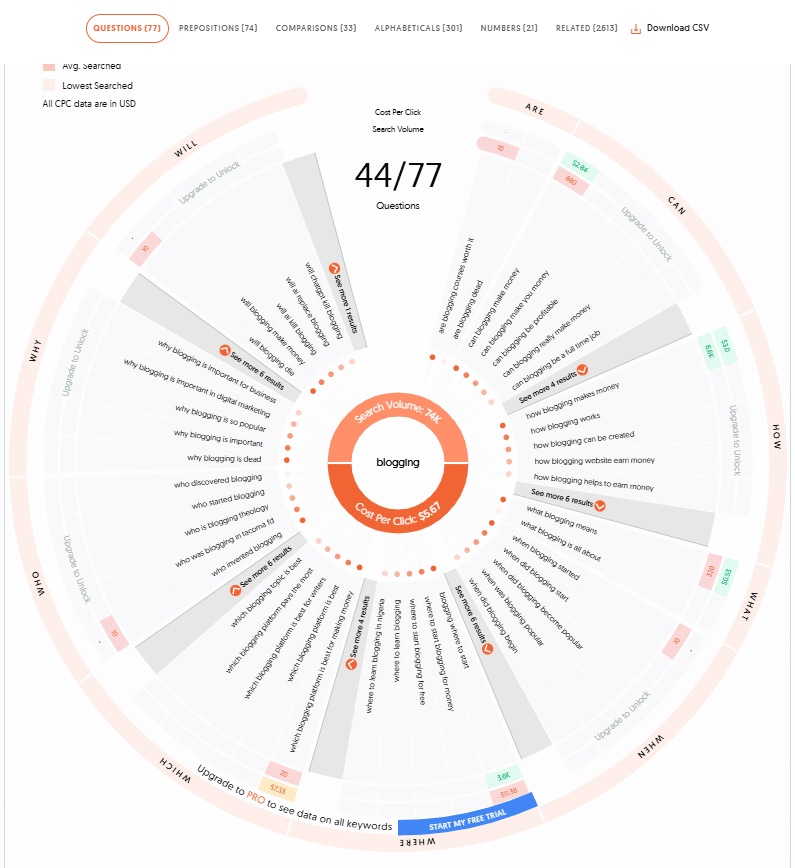
AnswerThePublic.com is a free, visual tool that you can use for keyword research and content ideas. It analyzes search behavior to reveal the questions, prepositions, and comparisons people are making online about a specific topic, which helps you understand what your audience is looking for. With the free version, you get up to three daily searches.
The results are then displayed in this visual wheel, which you can filter by your audience’s frequently asked questions and keywords they are searching for.
05. Moz
Moz.com is an SEO tool that has a variety of free features. My favorite is the MozBar Chrome Extension. If you have taken Mike Futia’s course, Stupid Simple SEO, you know how valuable the MozBar tool is! When you search for a topic on Google that you are interested in writing a blog post about, MozBar tells you the domain authority (DA) of the sites that rank highest in the search results. This lets you know if you have a chance to rank for that topic (because if all the search results on the first page of Google have a high DA and you don’t, you probably have a low chance of ranking for that keyword).
Moz also has a keyword explorer, backlink explorer and does competitor research, all for free.
06. RankMath SEO Plugin
RankMath SEO Plugin is so helpful with reminding you to incorporate all the little details that make up SEO (Search Engine Optimization) best practices (like making sure your keyword is found in all the necessary places in your blog post). And I honestly don’t know how to even write a meta description without the RankMath SEO plugin. It gives suggestions on how you can improve your SEO score and I love the SEO academy to learn all the ins and outs of SEO that I didn’t know before.
07. Kit (formerly Convertkit)
The money is in the list. It doesn’t matter how brand new you are to blogging, you need to be growing and nurturing your email subscriber list TODAY. Kit is one of my favorite email marketing platforms, because I feel like it has the best/easiest automation workflows. It is free to use if you have under 10,000 subscribers.
But the downside of the free plan, is that it only allows one automation and one email sequence. Because of that, I did have the premium version, but if you are just starting out, I think the free plan is a good option. I have found that Kit has the easiest way to set up automations of all the email platforms. I don’t have time to waste in figuring out how that works.
Sign up for my FREE Blog Business Starter Vault and have it automatically sent straight to your inbox . Just enter in your email address in the form below:
08. Airtable
Airtable is my favorite free tool for organizing my blog posts ideas, AI prompts, customer personas, and more. You can create a grid, calendar, Kanban or gallery view in Airtable, whatever works the best with your brain.
09. ChatGPT
ChatGPT is as free artificial intelligence (AI) tool. There are several out there, but I have found that this tool’s free version has the most to offer. I use ChatGPT to generate ideas, find current content gaps online and to help me write social media descriptions. The free version of this AI tool is adequate to help most bloggers.
I would urge you not to use ChatGPT to write your blog posts for you, and do not copy and paste the text it generates. AI is smart, but it does not sound like you and you don’t want your readers to think you are fake, because they can sniff that out from a mile away. And also, the text it generates may not even be accurate, so double check facts before you use them in your content. Bottom line, use ChatGPT to inspire, not do you work for you.
10. WordPress
WordPress is the Content Management System (CMS) that acts as a publishing platform and website builder for your website. It houses your blog posts, your website design, and you don’t need to know CSS code to do it. WordPress is the powerhouse of 43% of the world’s websites, including mine.
Here’s the caveat: WordPress itself is free, but you still have to pay for hosting (yes, there are free blogging platforms, including WordPress.COM, but they limit your monetization options. WordPress.ORG with paid hosting is the way to go if you want to be in control of your website and how you earn money from it.) The Good News: Hosting can be as cheap as $2.95 with Bluehost, so it still shouldn’t be a big expense. I used Bluehost to host my website until I decided to go with Showit (which comes with its own hosting).
11. Social Media
This might seem obvious, but social media is such a huge part of driving traffic to your website, that I needed to mention it-AND IT’S ALL FREE! This includes Instagram, Facebook, TikTok, YouTube, LinkedIn and Pinterest. They all have their own traffic coming to them, all you need to do is get their attention and drive the traffic to your website. Make those social media graphics on Canva that we talked about in #1, get ChatGPT to write the keyword-dense description for you, and post on social media! Consistently! Follow me on my socials below:
12. Google Analytics
Google Analytics can give you insight into what posts performed well and what didn’t, so you can keeping making more of what your audience wants to read. You can also learn information on customer acquisition, behaviors and conversions.
13. Google Page Speed Insights
If someone comes to your website and it takes too long to load, they aren’t going to wait for it. They will simply move on to someone else’s website. To test your page speed and make sure it is optimized, use Google Page Speed Insights. It gives suggestions on how to improve your site speed. I checked mine while writing this blog post, and I have some work to do too!
14. Google Fonts
Fonts really set you apart from other people. I used to not understand why people paid for fonts. But now that I have dabbled in a little graphic design education, I completely understand what the fuss with paid fonts is all about. However, if you are trying to save money, spending it on custom fonts probably isn’t the best ROI for your business. So, utilize Google Fonts, which is free, to find your font that helps you stand out.
15. Loom
Loom is a free screen recorder for Mac and PC. Videos are all the rage for getting customer engagement. And over-the-shoulder videos like those made with Loom, help users see what you are doing step-by-step. I used Loom to record over-the-shoulder videos for my online course, How to Start a Blog (which teaches you how to create a blog from scratch, even if you have no idea what you are doing). The free plan allows you to create up to 25 screen recorded videos, up to 5 minutes in length.
16. Ubersuggest
Ubersuggest is my favorite free keyword research tool. It generates lists of popular keywords, and ranks them by search volume and/or keyword difficulty. It also gives SEO suggestions, gives content ideas, and analyze backlinks for you and your competitors. There is also a chrome extension available for Ubersuggest, if you find that way easier to us. I also like that if you decide to dabble in some premium features of Ubersuggest (like more search results or advanced SEO tools), you can buy them al la carte, at only $5/month. But frankly, I find the free version works for me just fine.
17. Pexels
I didn’t realize this when I first started blogging, but you can’t just save and use any ol’ image that you find anywhere on the internet and put it on your website. You can get your ass in some big trouble for doing that. You want to find royalty-free stock images and videos, that are copyright free and free to use. That’s where Pexels come in. Of course, you can take your own photos too, which SEO is a big fan of. But ain’t nobody got time for that. Look at the license for these websites, but for the most part, the photos from these royalty-free websites can be edited.
18. Qwoted
Qwoted is a network that reporters go to when they want to find expert sources to reference for their work. And guess what, you can sign up for a free account and provide your expertise to them as one of these experts. There is no guarantee that your pitch will be chosen, but if it is, its free publicity and free backlinks (SEO swoons over backlinks).
19. Jotform
Jotform is a drag-and-drop form builder that allows you to create professional forms if your business utilizes them. The free version of this service allows up to 100 monthly form submissions and the ability to create up to 5 forms. As mentioned in #3, Jotform allows the ability for users to upload files, which is why I like Jotform over other programs. I can also embed the form into my website, like I did here.
20. Keynote
Keynote is a presentation app on iOS, but I use it for creating interactive hyperlinks in my digital planners. Digital planners are one way I earn money on my blog (I also have a free lead magnet planner too), so I mentioned it here incase you are interested in doing the same.
21. My Freebies Vault
I tend to think that my freebies are helpful. And if you disagree, well, they were free and you have nothing to lose. Check out my FREE Blog Business Starter Vault, which includes:
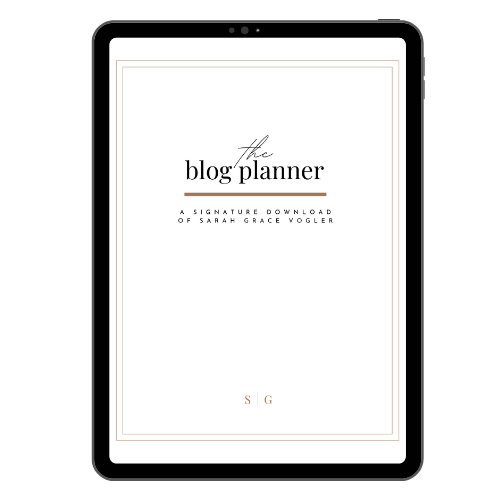
- The Blog Planner: a 40-page blog planner that includes an undated content calendar, checklists, SEO, and content strategy.
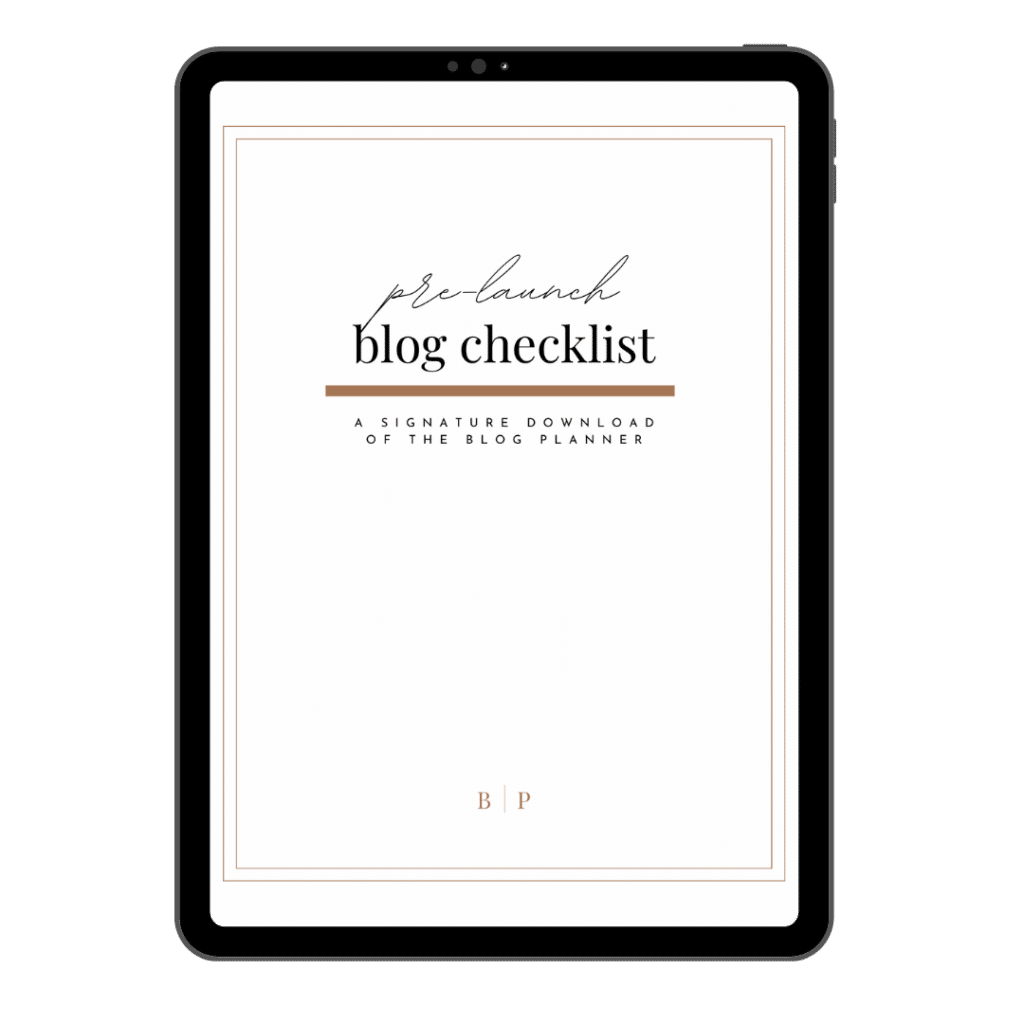
- The Pre-Launch Blog Checklist: a 49-point checklist to make sure you start your blog off the right way.
- 85 Blog Post Headlines that Convert: blog ideas for any niche
- AND MORE
You can sign up for the Vault at the form below.
22. Tailwind
Tailwind is a Pinterest scheduling tool that auto-posts pins for you. It allows you to consistently post, without having to sit at your computer all day to do it. This tool recommends best times to post, so you don’t even have to worry about figuring out when your audience is most active. The free version only allows 5 posts per month though.

What did you think of my list of free tools every blogger should know about? Do you use any of these tools, or are you going to start using them after reading this blog post?
Pin this blog post to Pinterest so you can refer back to it later and talk to me in the comments.
Love, Sarah Grace
03
Apr


VIEW THE COMMENTS
Add A Comment